Creating low-content books—planners, journals, activity books, puzzle books—can seem overwhelming when you’re building them from scratch. BookBolt Studio eliminates the complexity by merging research, design, customization, and puzzle-generation into one cohesive environment. In this article, we walk through the full BookBolt Studio process from initial project setup to published KDP listing—showing you how to move from idea to sale in just a few hours.
What You’ll Learn
- Why BookBolt Studio matters for low-content publishers
- Planning your project from a market and design perspective
- Step-by-step project setup (cover + interior)
- Designing attention-grabbing covers with templates and assets
- Building high-quality interiors—liners, trackers, and more
- Generating puzzles and activity pages with PuzzleWiz
- Advanced strategies and branding
- Exporting, uploading, and post-launch optimization
- Workflow scaling for product-line building
- Tips and common pitfalls
Let’s dive in.
1. Why BookBolt Studio Is a Publisher’s Power Tool
Before Studio, creating quality interiors meant juggling multiple tools—graphic editors, PDF combiners, puzzle generators—and worrying about template consistency. Studio consolidates all this:
- Design covers and interiors in one place, with precise Amazon KDP bleed/margin sizing
- Generate puzzles (Sudoku, word search, mazes, etc.) instantly with PuzzleWiz
- Scale fast by cloning, templating, and reusing branded assets
End result? Faster launches, higher-quality products, and more of them.
2. Planning Your Project: Market + Design
A. Research First
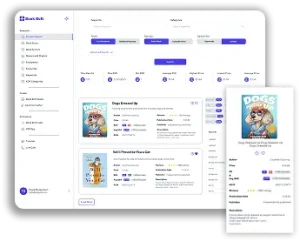
Use BookBolt’s tools (Product Search, Keyword Finder, Cloud) to validate niches before designing. For example, fitness log planners sell steadily, with mid-level competition and decent price points.
B. Define Key Specs
- Trim size: e.g., 6×9″ (journals), 8.5×11″ (planners, color interiors)
- Interior length: 90–150 pages typical
- Content features: lined, trackers, goal pages, puzzles, coloring
Planning ahead ensures your design choices (fonts, layout, imagery) are cohesive and functional.
3. Project Setup in Studio
- Log into BookBolt → click “Create” → “BookBolt Studio”
- Select “New Project”: choose Cover, Interior, or Cover + Interior
- Pick size, trim, page count, and interior color (B&W or color)
- Name your project (e.g., Fitness Planner 8.5×11 120p)—this helps manage multiple projects
Studio sets up bleed and safety zones automatically, so you avoid formatting mishaps.
4. Design Magnetic Covers
A. Templates + Assets
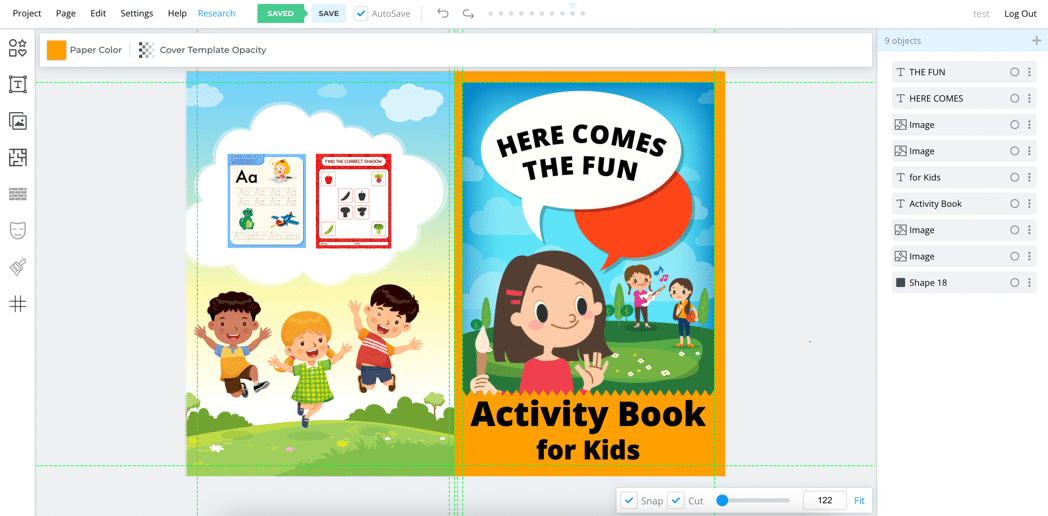
- Start with a Studio template suited to your niche
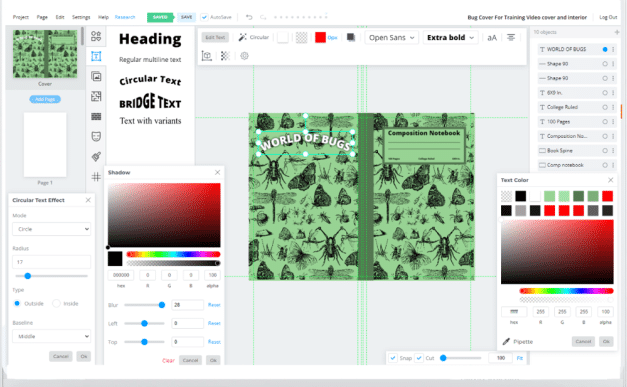
- Customize fonts (1,200+ free) and colors using pipette tool
- Upload images or use the built-in Pixabay/Unsplash image library
B. Build from Scratch
- Draw shapes, set patterns, layer text
- Pay attention to spine text (if >100 pages) and bleeds
- Use contrast and hierarchy: bold headline, supporting sub-head, visual focal point
C. Brand Consistency
- Use same fonts/colors/icons across interior and future series
- Saves time and builds brand recognition

5. Craft Interiors That Engage
A. Use Template Pages (100+)
Pick from built-in interior templates:
- Lined journals, dot-grid pages, dated calendars, goal trackers, reading lists, to-do templates
B. Customize Each Page
- Insert headers (“Day __”), footers, inspirational quotes
- Change fonts, placements, or rotate designs for readability
- Add images/watermarks for branding
C. Clone Quickly
Right-click interior pages to duplicate. You can create layouts for different sections (tracked vs lined) and apply them uniformly.
6. Puzzle Generation with PuzzleWiz
A. Choose Puzzle Types
From Sudoku to Hangman, Cryptogram, Word Search, Kakuro, Maze, Nurikabe — Studio includes 12 puzzle types
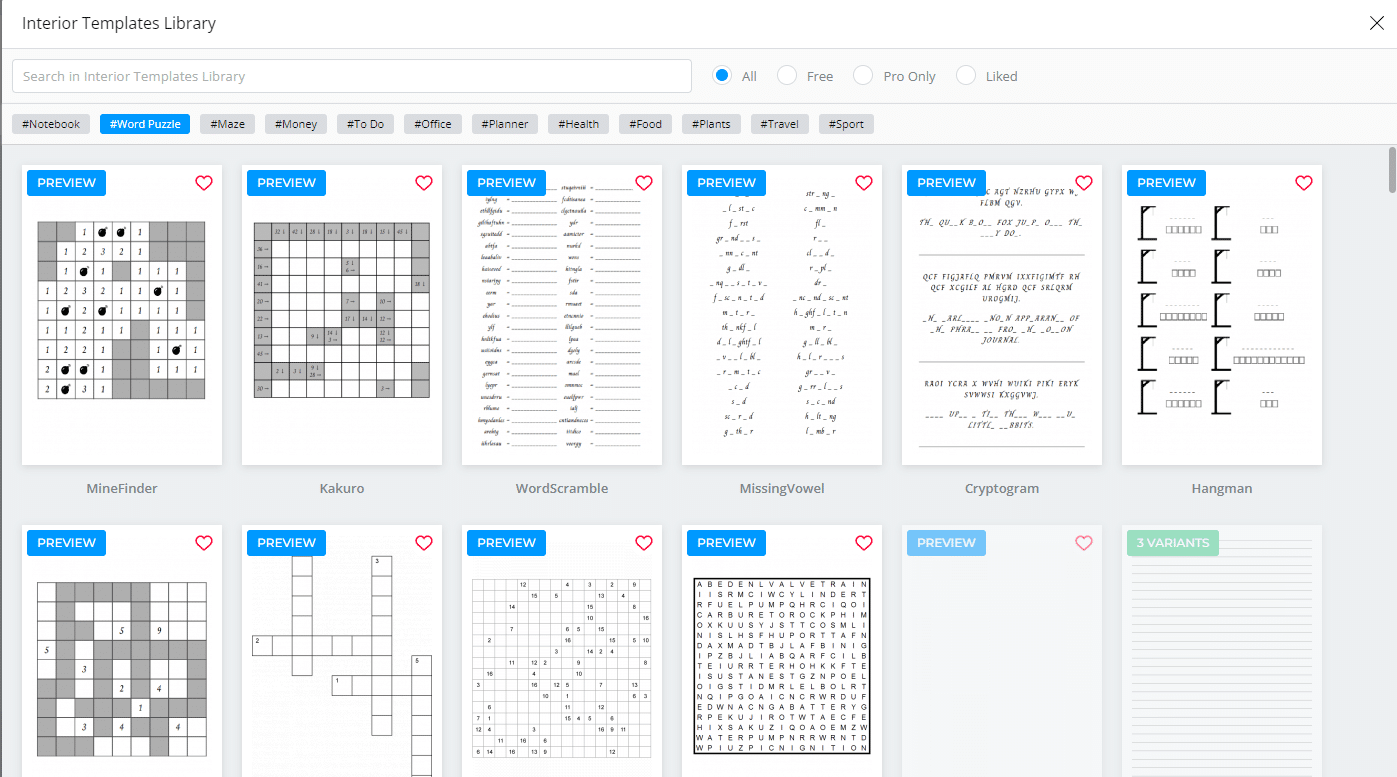
B. Customize Your Puzzle
Set size, difficulty, bleed, single/double-sided, fonts, and include solutions or page numbers
C. Generate and Insert
Puzzle images are created in seconds. Download and integrate them into your interior—Studio keeps everything centric.
D. Niche Enhancements
- For word searches, upload theme-based word lists (e.g., cooking terms)
- For crosswords or hangman, customize difficulty and include theme headers
7. Advanced Strategies: Branding & Variety
- Interior variety: Mix lined, trackers, puzzles, and dot grids within a single planner to increase usability and perceived value
- Series branding: Add cover banners like “Volume 1” and launch seasonal editions (“Winter ‘25”)
- Color vs B&W: Use color pages for puzzles or kids’ books—B&W for price-conscious buyers
8. Exporting for KDP
A. Export Press
- Click Save → Project → Download ZIP
- Includes separate PDFs: Cover, Interior (plus solutions if selected)
B. Final Checks
- Use Studio previewer or KDP’s POG to verify bleeds, spine text, page counts
- Ensure PDFs are correctly sized and inside trim
9. Amazon Publishing & Post-Launch Optimization
A. Upload Process
- Sign into KDP → Create Paperback
- Upload cover and interior files → Preview
- Enter metadata, categories (from KDP Category Finder), and keywords (from BookBolt)
B. A/B Test Titles & Covers
Produce two versions (e.g., color vs B&W, motivational vs minimalist) and track via ASINs using BookBolt’s Listing Optimizer and Sale Samurai (if integrated)
C. Monitor Performance
Track BSR, reviews, and ranking. Take action within 30 days to iterate early.
10. Scaling & Product Line Growth
A. Repurpose templates
Convert a Gratitude Journal into Fitness Planner by editing headers/layout
B. Seasonal launches
Create themed variations (e.g., holiday logbook, goal tracker Q1)
C. Multiplier effect
Use same interior for multiple trim sizes (6×9, 8.5×11). Replace covers and update metadata—it fast-tracks catalog expansion
11. Common Surgeon Tips & Pitfalls
- Margin mistakes: Always confirm bleeds + gutters match KDP
- Puzzle legibility: Maintain cell size readability
- Content balance: Too many puzzles vs writing space can confuse buyers
- Brand consistency: Strong visuals and interior flow help with series loyalty
✅ Project Launch Checklist
| Task | Completed |
|---|---|
| Niche & research validated | |
| Studio project created | |
| Cover customized and branded | |
| Interiors templated & personalized | |
| Puzzle pages generated | |
| Variety interior section created | |
| Exported files checked with previewer | |
| Metadata & uploads done in KDP | |
| A/B tests prepared | |
| Launch and track plans set |
Final Thoughts
BookBolt Studio isn’t just another design tool—it’s a publishing studio tailored for Amazon KDP success. By unifying cover design, interior layout, and puzzle generation along with integration into research workflows, Studio enables fast, professional-quality launches with consistency and scalability.
Walk through the steps once, then rinse and repeat—your low-content catalogue can grow from 1 to 100+ books without burning you out.