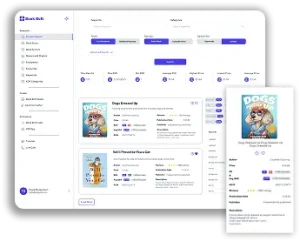
If you’re a KDP publisher focusing on low- and no-content books, timing isn’t just everything—it’s the only thing. The right idea at the right time can turn a modest listing into a best-seller. But how do you find that “right time”? And how can you validate an idea before investing design hours into it?
Amazon, as the world’s largest e-commerce platform, is a goldmine of trend data. Every day, new themes and micro-niches emerge in its vast marketplace—and BookBolt gives you the tools to turn that intel into passive income with speed and precision.
In this article, we’ll show you how to mine Amazon’s trend signals and cross-reference them using BookBolt’s suite of tools, all so you can create relevant, profitable low- and no-content books before the competition catches on.
Why Amazon Trend Data Matters
Amazon is not just a selling platform—it’s a window into global consumer behavior. If something is gaining traction—be it a hobby, product, TV show, or health craze—it will eventually show up in Amazon’s search bar suggestions, “Movers & Shakers” pages, and bestseller charts.
For KDP publishers, these data points can hint at demand for:
- Journals related to lifestyle or wellness trends
- Sketchbooks for pop culture fandoms
- Planners aligned with seasonal or event-based needs
- Trackers and logs for health and productivity habits
Timing is critical. Catch a trend early, and you can establish your listing before competition saturates the niche.
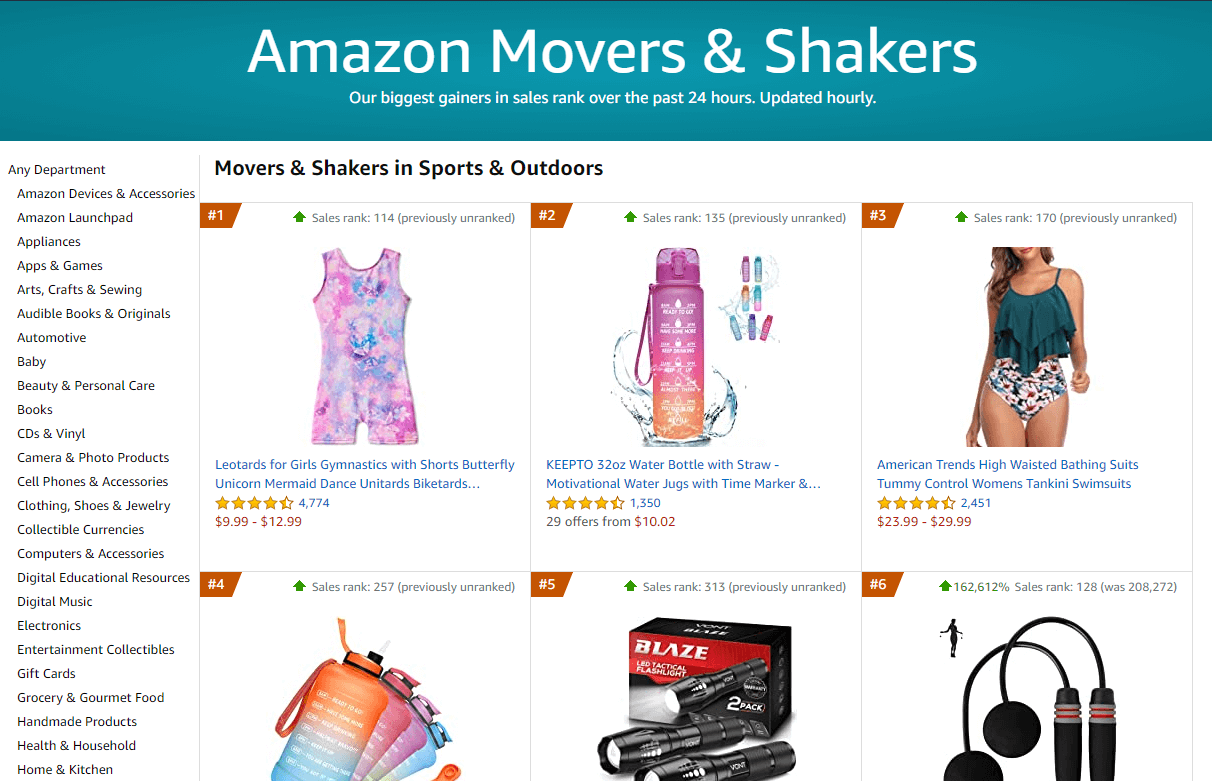
Step 1: Scouting Trends on Amazon
Start by exploring these areas of Amazon to identify trending interests:
1. Best Sellers & Movers & Shakers
Check the Books, Toys & Games, and Home & Kitchen categories for what’s climbing the charts. Ask yourself:
- Is there a seasonal theme emerging (e.g., fall décor)?
- Is a pop culture property blowing up?
- Are certain planners, guides, or journals trending?
2. Search Suggestions
Type in partial phrases in the Amazon search bar (e.g., “wedding plan…”) and note the autocompleted suggestions. These represent what people are actively searching for.
3. Frequently Bought Together / Customers Also Bought
When browsing popular books or products, Amazon shows companion items. These offer insight into how consumers think—great for combining ideas (e.g., pairing a meditation log with a gratitude journal).
4. Product Reviews
Pay attention to 4- and 5-star product reviews. What do users praise? What features do they want more of? These are signals you can act on when creating your own version.
Step 2: Validating Trends with BookBolt
Once you’ve spotted a potential trend, don’t rush into production just yet. Use BookBolt to validate demand and ensure it’s not a passing fad—or already oversaturated.
Use BookBolt’s Keyword Research Tool
Plug trend-related phrases into the Keyword Research tool to analyze:
- Search Volume: How many people are searching for this?
- Competition Score: Is the niche flooded already?
- Related Keywords: Are there long-tail terms you can use for sub-niches?
Example: Let’s say you spot a rise in “cold plunge therapy” gear. Plug in “cold plunge journal” or “cold plunge log” and see if search volume exists with low to medium competition.
Use the Book Scout Tool
This allows you to see top-performing KDP listings. Look at:
- Price points
- Review counts
- Categories
- Cover styles
This tool can show you which trends have already taken root—and which are still fresh.
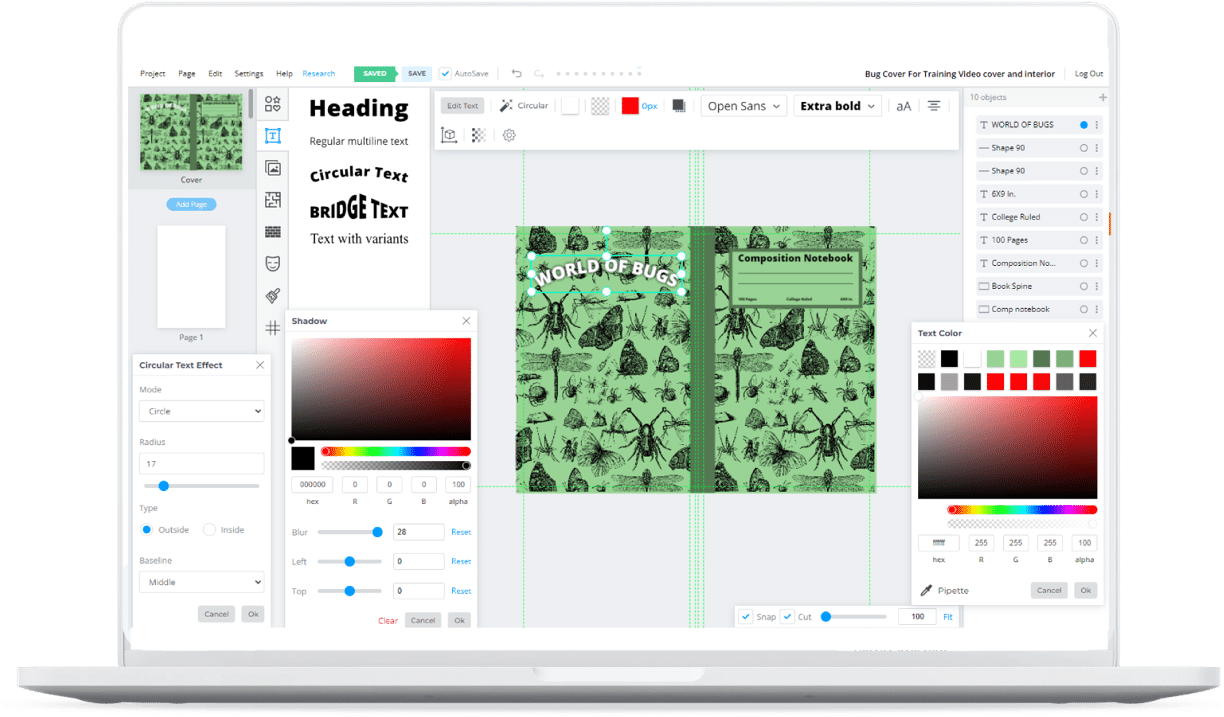
Use BookBolt Studio to Prototype Quickly
With BookBolt Studio, you can rapidly test-train an idea without building it from scratch:
- Use ready-made templates for logs, planners, journals
- Swap in titles and keywords related to your trend
- Create multiple cover variations to test market response
Step 3: Act Fast with a Production System
Speed is the name of the game. Once you validate a trend, you want your product live in days—not weeks.
Here’s a basic “Rapid Trend Launch” workflow:
- Day 1: Trend Discovery
- Browse Amazon’s Movers & Shakers
- Search Reddit or Google Trends for cross-validation
- Day 2: Validation
- Plug keywords into BookBolt’s Keyword Research
- Use Book Scout to analyze existing KDP competition
- Day 3: Design
- Use BookBolt Studio to build your interior
- Design a trend-specific cover using royalty-free graphics
- Day 4: Optimization
- Write a keyword-optimized title and subtitle
- Add a persuasive book description using BookBolt’s AI tools
- Day 5: Upload
- Publish to KDP
- Share on social media or Pinterest to kick-start visibility
Examples of Trend-Adaptive Low-Content Ideas
You don’t need to reinvent the wheel—just apply trend signals to proven book formats. Here’s how trends can map directly to low-content book ideas:
| Trend Type | Trend Signal | Book Idea Example |
|---|---|---|
| Health Fads | “Cold Plunge” keyword spikes | Cold Plunge Temperature Logbook |
| Pop Culture Events | Swiftie tour dates announced | Taylor Swift Concert Planner |
| Election Year | Debate viewership increases | Election Season Scorecard Journal |
| Anime Release | New season trailers go viral | 2025 Anime Sketchbook & Tracker |
| Lifestyle Aesthetic | “Hot Girl Walk” TikTok trend | Walking Reflection Journal |
| Productivity Hype | Rise in “Notion” or habit apps | Analog Habit Tracker Notebook |
| Pet Ownership Boom | More pet accessory searches | Dog Training Logbook |
| Back-to-School Season | Late summer shopping surge | First Week Back School Planner for Parents |
Bonus Section: “10 Amazon Trend-Inspired Book Ideas You Can Make Right Now”
- Election Tracker Journal
- Follow debates, primaries, and candidate stances.
- Cold Plunge Temperature Log
- Track dips, timing, and post-plunge mood.
- Anime Sketchbook for 2025 Releases
- Capture fan art for trending series.
- Wedding Planning Budget Notebook
- Tie into fall wedding season or upcoming engagements.
- Fantasy Football Draft Day Scorecards
- Capitalize on the August/September surge.
- Swiftie Tour Outfit Planner
- Combine fashion, budgeting, and fan content.
- Back to School Chore Chart
- Great for parents managing the September transition.
- Retro Gaming Password Logbook
- Tie into nostalgia-fueled mini-console sales.
- Teacher Appreciation Letter Templates
- Gift-oriented, with guided journaling prompts.
- New Baby Sleep Schedule Journal
- Relevant to the rising trend in baby sleep training content.
Seasonal Trend Watch: What to Monitor
Timing your content around seasonal trends can yield powerful results. Here’s what to look for by quarter:
Q1: (Jan–Mar)
- Fitness, self-improvement, planners
- Valentine’s Day gifts
- Tax season organizers
Q2: (Apr–Jun)
- Graduation planners
- Summer vacation journals
- Wedding prep notebooks
Q3: (Jul–Sep)
- Back-to-school logs
- Halloween prep books
- Fall aesthetic mood trackers
Q4: (Oct–Dec)
- Holiday shopping lists
- Gratitude journals
- New Year goal planners
Use Amazon’s own bestseller pages in each of these categories to check for early shifts in trend data. Validate with BookBolt.
Trend Tools Recap: What to Use and When
| Goal | Amazon Tool | BookBolt Tool |
|---|---|---|
| Spot new product trends | Movers & Shakers, Search | Keyword Research |
| Identify pop culture phenomena | Best Sellers, Product reviews | Book Scout |
| Validate keyword strength | Search Bar Autosuggest | Keyword Finder |
| Prototype fast | None | BookBolt Studio |
| Optimize listing content | None | Description Generator |
Final Thoughts: Spot. Validate. Act.
Spotting Amazon trends is half intuition, half method—and BookBolt helps you bridge the gap. By monitoring what the world’s largest online marketplace is revealing right now, and combining it with data validation, you can bring low-content books to market in days—not weeks.
Start with just one idea from this post. Research it. Build it. Publish it. Then do it again. That’s how real momentum begins.
If you’d like help brainstorming trend-based ideas specific to your niche, don’t forget to explore BookBolt’s community features and educational resources. There’s no better time than now to create your next best-seller.